About Light Meter - Lux Meter
Light Meter - luxmeter app for measuring light intensity using proximity sensor. The app uses your device's light sensor to determine the intensity of light and shows it on a LUX Meter. Brightness meter can be used by...
Light Meter - luxmeter app for measuring light intensity using proximity sensor. The app uses your device's light sensor to determine the intensity of light and shows it on a LUX Meter. Brightness meter can be used by photographers to test the light conditions for better results. The precision quality depends on the phone's light sensor quality.
Light meter app android can help you in measuring lumen led which is an accurate lux auto brightness measurement app. Foot candle light meter and photometer is very easy to use, you don’t need to use any critical physic to ambient light measurement. Use this photography luxmeter app to measure ambient luminous flux in lux (lx) or light meter foot candles (fc) with light sensor.
- High accuracy light measurement and spot metering
- Lux and Foot-candle units
- Measures & record minimum, average and maximum brightness possible
- Full sensor calibration
- Lux light meter for plants
- Bright Meter helps with selecting light bulbs to install at home and installing a new lighting
- Help relighting school, kitchen, office and rooms, home light
- Analyze the light level of indoor environments
- Measure indoors & outdoors. Compare the room’s brightness level.
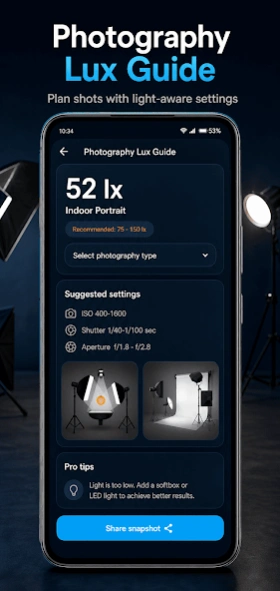
- Light meter for photography to do experiments for light metering and studio lighting
- Test flashlights and other light equipment
We recommended accurate pocket light meter (flickering) and simple room light meter for light levels for indoor spaces. Light Meter measures current illumination level using your phone's light sensor in light meter for camera.
Check optimal lighting values at home or office by choosing from different room types.
The result is measured in units of lux (lx) and fc. Choose the room types to display and evaluate the recommended lighting levels.
Important Notes:-
1. Light Meter app only works if your device has a light sensor, Some old devices doesn't have it.
2. Sensor usually placed at the top left corner of your screen. Keep it uncovered to check the illumination intensity by using lux meter.
3. The accuracy of the measure depends on the accuracy of your device sensor. It may differ from real lighting and between different devices.
4. For correct results hold your device steady and horizontal.
Previous Versions
Here you can find the changelog of Light Meter - Lux Meter since it was posted on our website on 2021-12-11 21:23:01.
The latest version is and it was updated on 2026-10-12 21:39:02. See below the changes in each version.
Light Meter - Lux Meter version
Updated At: 2026-09-13
Light Meter - Lux Meter version 1.26.18
Updated At: 2026-08-18
Changes: Bug fixes and performance improvement's.
Light Meter - Lux Meter version 1.25.15
Updated At: 2026-06-08
Changes: Light Intensity meter for your android device!
Bug fixes and performance improvement's.
Disclaimer
Official Google Play Link
We do not host Light Meter - Lux Meter on our servers. We did not scan it for viruses, adware, spyware or other type of malware. This app is hosted by Google and passed their terms and conditions to be listed there. We recommend caution when installing it.
The Google Play link for Light Meter - Lux Meter is provided to you by apps112.com without any warranties, representations or guarantees of any kind, so access it at your own risk.
If you have questions regarding this particular app contact the publisher directly. For questions about the functionalities of apps112.com contact us.